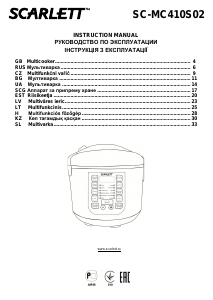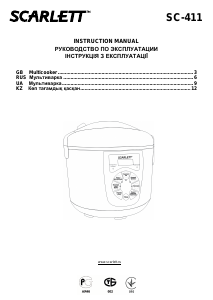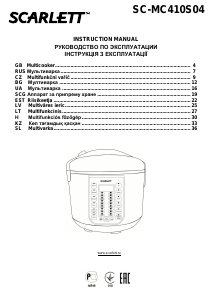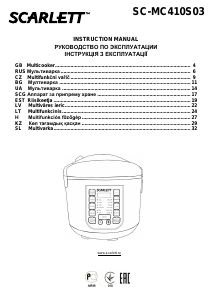
Руководство Scarlett SC-MC410S07 Мультиварка

Вам нужно руководство для вашего Scarlett SC-MC410S07 Мультиварка? Ниже вы можете бесплатно просмотреть и скачать PDF-инструкцию на русском языке. В настоящее время этот продукт имеет 2 часто задаваемых вопроса, 0 комментариев и имеет 1 голос со средним рейтингом продукта 0/100. Если это не то руководство, которое вам нужно, свяжитесь с нами.

Ваше устройство неисправно, и в руководстве отсутствует решение? Перейдите в Repair Café для получения бесплатных ремонтных услуг.

Руководство

Loading…

IM013
www.scarlett.ru 6 SC-MC410S07
START (СТАРТ) BUTTON
Press the "START" (СТАРТ) button to begin cooking. The button's LED will light up.
After completion of the operation the universal cooker automatically switches to warming up mode.
MULTI-CHIEF (МУЛЬТИПОВАР) BUTTON
This function allows cooking food by presetting cooking time and temperature settings other than those used in
automatic programs.
Press the MULTI-CHIEF (МУЛЬТИПОВАР) button. The temperature indicator will illuminate.
Use the "HOUR +" (ЧАС +) and "MIN -" (МИН -) buttons to set the required temperature within the range of 60 to
165 ºС.
To set the cooking time, press the DELAYED START/COOKING TIME (ОТЛОЖЕННЫЙ СТАРТ/ВРЕМЯ
ПРИГОТОВЛЕНИЯ) button. The COOKING TIME (ВРЕМЯ ПРИГОТОВЛЕНИЯ) indicator on the display will
illuminate.
Using "HOUR +" (ЧАС +) and "MIN -" (МИН -) buttons, set the required cooking time within the range of 2 to 24
hours, according to the Recipe Book.
After making all settings, press the "START" (СТАРТ) button.
When the specified time elapses, the universal cooker will shut off automatically.
DELAYED START/COOKING TIME (ОТЛОЖЕННЫЙ СТАРТ/ВРЕМЯ ПРИГОТОВЛЕНИЯ) BUTTON
The appliance is equipped with start delay function.
Select the required cooking program, using the MENU (МЕНЮ) button.
To switch on this function, press the DELAYED START/COOKING TIME (ОТЛОЖЕННЫЙ СТАРТ/ВРЕМЯ
ПРИГОТОВЛЕНИЯ) button. The DELAYED START (ОТЛОЖЕННЫЙ СТАРТ) indicator on the display will
illuminate.
Use the "HOUR +" (ЧАС +) and "MIN -" (МИН -) buttons to set the cooking delay time. The display will show the
time at which the program should stop.
To begin operation press the START (СТАРТ) button.
PREHEAT/OFF (ПОДДЕРЖАНИЕ ТЕПЛА/ ВЫКЛ) BUTTON
If needed, press the PREHEAT/OFF (ПОДДЕРЖАНИЕ ТЕПЛА/ ВЫКЛ) button to suspend the cooking process.
The preheat function operates in automatic mode and starts, when the cooking process is finished.
This function can be used to preheat foods. To use this function, put the food you want to preheat inside the
cooker bowl, and press the PREHEAT/OFF (ПОДДЕРЖАНИЕ ТЕПЛА/ ВЫКЛ) button.
The maximum time interval to maintain temperature is 24 hours. At that the temperature inside the universal
cooker shall not exceed 73 ºС.
LOCK/PRODUCT SELECTION (ЗАМОК/ВЫБОР ПРОДУКТА) BUTTON
After such programs as STEAM COOKER (ПАРОВАРКА), DEEP ROASTING (ГЛУБОКАЯ ОБЖАРКА) and
ROASTING (ЖАРКА) is selected, you will need to select the product to be cooked: meat, fish or chicken.
To select the product, press the LOCK/PRODUCT SELECTION (ЗАМОК/ВЫБОР ПРОДУКТА) button. The
selected product indicator will be illuminated on the display.
Using the LOCK/PRODUCT SELECTION (ЗАМОК/ВЫБОР ПРОДУКТА) button, you may also lock the
appliance. To do it, press and hold this button for 3 seconds. When the device is locked, the LOCK indicator will
be displayed.
To unlock the appliance, press and hold this button for 3 seconds again.
ADVANTAGES
Multifunctional programs, such as cooker, steam cooker, stewing, baking.
The 3D-cooking, which provides even heat distribution on all sides, and thus speeds up the cooking process,
always gives you perfect and airy baked foods.
Automatic control of the whole process.
Delayed cook start
High heat efficiency, saving 40% of energy and 60% of time.
Fully sealed structure for nutrients preservation, flavor retention and making food tender
Easy-to-clean cooking pot with double non-stick coating
Reliable safety devices:
- Open-and-close lid safety device
- Safety temperature limiter. It automatically stops heating in case the cooking pot is empty or if the cooking pot
is not in place.
CLEANING AND MAINTENANCE
The device needs to be cleaned regularly; remove all of the food residue from the surface of the multicooker
Before cleaning turn off the multicooker and unplug it from the socket. Let the device cool off completely.
Wipe the control panel, the outer and the inner surfaces of the multicooker with a wet cloth and detergent, wipe
dry.
Wash the pot in warm water with detergent and wipe dry. You should wash the pot immediately after you
finished cooking.
Do not use aggressive substances or abrasive materials.
STORAGE
Make sure that the device is unplugged from the socket and is completely cooled off.
Follow all of the steps mentioned in “CLEANING AND MAINTENANCE” section.
Загрузить руководство на русском (PDF, 3.82 MB)
(Помните о необходимости охраны окружающей среды и распечатывайте настоящее руководство только в том случае, если это действительно необходимо)

Loading…

Рейтинг

Сообщите нам, что вы думаете о Scarlett SC-MC410S07 Мультиварка, оставив оценку продукта. Хотите поделиться вашими впечатлениями от данного изделия или задать вопрос? Вы можете оставить комментарий в нижней части страницы.
Вы довольны Scarlett SC-MC410S07 Мультиварка?
Да Нет
0%
100%
1 проголосовать

Присоединиться к беседе по данному изделию

Здесь вы можете поделиться тем, что думаете о Scarlett SC-MC410S07 Мультиварка. Если у вас есть вопросы, сначала внимательно прочтите инструкцию. Запросить руководство можно с помощью контактной формы.

Подробнее об этом руководстве

Мы понимаем, что приятно иметь бумажное руководство для вашего Scarlett SC-MC410S07 Мультиварка. Вы всегда можете скачать инструкцию с нашего сайта и распечатать самостоятельно. Если вы хотите получить оригинальное руководство, мы рекомендуем вам связаться с Scarlett. Возможно, они смогут предоставить оригинальное руководство. Вы ищете руководство для вашего Scarlett SC-MC410S07 Мультиварка на другом языке? Выберите предпочитаемый язык на нашей домашней странице и найдите номер модели, чтобы узнать, есть ли она у нас в наличии.

Технические характеристики

Бренд Scarlett
Модель SC-MC410S07
Категория Мультиварки
Тип файла PDF
Размер файла 3.82 MB

Все инструкции для Scarlett Мультиварки
Больше руководств Мультиварки

Часто задаваемые вопросы о Scarlett SC-MC410S07 Мультиварка

Наша служба поддержки выполняет поиск полезной информации по изделиям и отвечает на часто задаваемые вопросы. Если вы заметили неточность в наших часто задаваемых вопросах, сообщите нам об этом с помощью нашей контактной формы.

Что умеет мультиварка? Проверенный

Мультиварки подходят для всех видов приготовления. Большинство моделей можно варить, варить на медленном огне, жарить, запекать, тушить, жарить, готовить на гриле и готовить на пару.

Это было полезно (147) Читать далее

В чем разница между мультиваркой и мультиваркой? Проверенный

Некоторые мультиварки также имеют функцию мультиварки, но мультиварка обычно является мультиваркой и поэтому подходит только для медленного приготовления пищи.

Это было полезно (69) Читать далее
Руководство Scarlett SC-MC410S07 Мультиварка

Сопутствующие товары

Связанные категории

×
Download