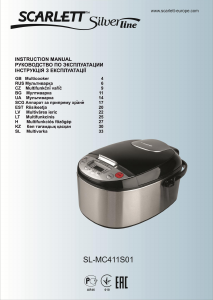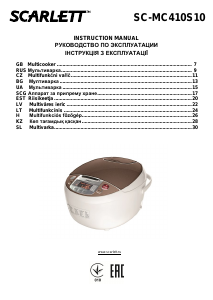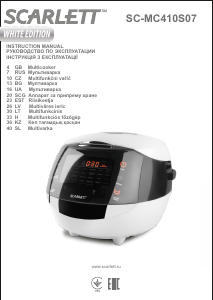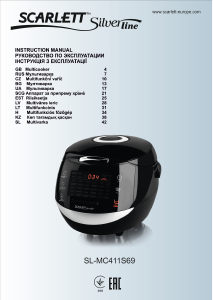
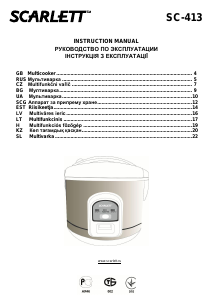
Руководство Scarlett SC-411 Мультиварка

Вам нужно руководство для вашего Scarlett SC-411 Мультиварка? Ниже вы можете бесплатно просмотреть и скачать PDF-инструкцию на русском языке. В настоящее время этот продукт имеет 2 часто задаваемых вопроса, 0 комментариев и имеет 1 голос со средним рейтингом продукта 100/100. Если это не то руководство, которое вам нужно, свяжитесь с нами.

Ваше устройство неисправно, и в руководстве отсутствует решение? Перейдите в Repair Café для получения бесплатных ремонтных услуг.

Руководство

Loading…

IM010
5
SC-411
Pour the cereal into the pot of the multi-cooker. Pour water into the pot in accordance with the recipe.
Place the pot in the multi-cooker.
Close the lid and press it down until it snaps shut.
Connect the multi-cooker to the power supply. Never connect the appliance to the electrical supply network before all
the preparations have been completed as this may cause breakage.
Press the «Milk porridge/Cereals» button on the control panel. The indicator of the button will illuminate.
The display will show 00:50. The «Milk porridge/Cereals» program will start in 5 seconds.
The multi-cooker is set by default for cooking cereals for 50 minutes. When needed you can extend or reduce the time
with the countdown timer; to do this press the «Timer» button at the centre of the control panel. You can change
cooking time within the range from 30 minutes to 2 hours. It advances 5 min at a time.
When the cooking process finishes the indicator of this mode will go out and a beep will sound, the multi-cooker will
automatically switch to the «Keep Warm» mode, and the «Keep Warm» indicator will light.
Unplug the multi-cooker from the power supply network.
Disconnect the multi-cooker from the power supply.
ROASTING/ HOME-MADE PRESERVES PROGRAM (ЖАРКА / ДОМ.ЗАГОТОВКА)
Using this program you may sauté vegetables with the lid open to further use them for preparing home-made products
(preserved food), soups and various stir-fries.
Put all ingredients and seasonings into the pot of the multi-cooker in accordance with the recipe.
Place the pot in the multi-cooker.
Do not close the lid.
Connect the multi-cooker to the power supply. Never connect the appliance to the electrical supply network before all
the preparations have been completed as this may cause breakage.
Press the «Roasting/Home» –made preserves button on the control panel. The indicator of the button will illuminate.
The display will show 00:00. The Roasting/ Home made preserves program will start in 5 seconds. The display won’t
show the time.
The multi-cooker defines the cooking time and the temperature itself depending on the weight of the products used.
When the food is done the indicator of this mode will go out and you’ll hear a sound signal, the multi-cooker will
automatically switch to the heating mode, the indicator of the heating mode will illuminate and the display will show
“bb”.
Disconnect the multi-cooker from the power supply.
DELAY START (ОТСРОЧКА СТАРТА)
This function allows delaying the cooking processing for the time range from 30 minutes to 24 hours.
The “Delayed Start” function is possible for the following programmes: “Roasting/Int. Products”, “Milk
Porridge/Cereals”, “Pastry/Soup”, “Steamer”, “Aspic/Braising”.
Press the «Delay Start» button and the «Delay Start» indicator will illuminate. Using the Timer button set the delay
cooking start time (from 30 minutes to 24 hours with the step of 30 minutes). Press the button of the chosen program.
In a minute the display will show the delay cooking start time and the countdown with the step of 1 minute will start.
The “Start Delay” function can be switched on in a different way. First press the button of the desired mode, then the
“Start Delay” button and set the delay time using the “Timer” button.
TIMER CHANGE OF THE COOKING TIME (ТАЙМЕР)
In 4 programs («Aspic/Braising», «Pastry/Soup», «Food Steamer», «Milk porridge/ Cereals2) the cooking time is
defined by the microprocessor, but you can change. To set the time do the following:
1. Choose the necessary cooking program. The display will show the preset cooking time (see the table of time setting
below).
2. Use the Timer button to set the required time.
3. The chosen cooking program will start in 5 seconds after the time is set.
Table of time settings.
Cooking mode
Preset cooking time, min
Range of cooking time, min
Milk porridge/ Cereals
50
30-120
Pastry/Soup
40
30-120
Aspic/Braising
60
30-330
Food Steamer
10
1-60
CLEANING AND MAINTENANCE
The device needs to be cleaned regularly; remove all of the food residue from the surface of the multicooker
Before cleaning turn off the multicooker and unplug it from the socket. Let the device cool off completely.
Wipe the control panel, the outer and the inner surfaces of the multicooker with a wet cloth and detergent, wipe dry.
Wash the pot in warm water with detergent and wipe dry. You should wash the pot immediately after you finished
cooking. Wash the container for collecting the condensed water and the steam outlet valve.
Do not use aggressive substances or abrasive materials.
STORAGE
Make sure that the device is unplugged from the socket and is completely cooled off.
Follow all of the steps mentioned in “CLEANING AND MAINTENANCE” section.
Store the multicooker with the cover half open in a dry and clean place.
Загрузить руководство на русском (PDF, 0.35 MB)
(Помните о необходимости охраны окружающей среды и распечатывайте настоящее руководство только в том случае, если это действительно необходимо)

Loading…

Рейтинг

Сообщите нам, что вы думаете о Scarlett SC-411 Мультиварка, оставив оценку продукта. Хотите поделиться вашими впечатлениями от данного изделия или задать вопрос? Вы можете оставить комментарий в нижней части страницы.
Вы довольны Scarlett SC-411 Мультиварка?
Да Нет
100%
0%
1 проголосовать

Присоединиться к беседе по данному изделию

Здесь вы можете поделиться тем, что думаете о Scarlett SC-411 Мультиварка. Если у вас есть вопросы, сначала внимательно прочтите инструкцию. Запросить руководство можно с помощью контактной формы.

Подробнее об этом руководстве

Мы понимаем, что приятно иметь бумажное руководство для вашего Scarlett SC-411 Мультиварка. Вы всегда можете скачать инструкцию с нашего сайта и распечатать самостоятельно. Если вы хотите получить оригинальное руководство, мы рекомендуем вам связаться с Scarlett. Возможно, они смогут предоставить оригинальное руководство. Вы ищете руководство для вашего Scarlett SC-411 Мультиварка на другом языке? Выберите предпочитаемый язык на нашей домашней странице и найдите номер модели, чтобы узнать, есть ли она у нас в наличии.

Технические характеристики

Бренд Scarlett
Модель SC-411
Категория Мультиварки
Тип файла PDF
Размер файла 0.35 MB

Все инструкции для Scarlett Мультиварки
Больше руководств Мультиварки

Часто задаваемые вопросы о Scarlett SC-411 Мультиварка

Наша служба поддержки выполняет поиск полезной информации по изделиям и отвечает на часто задаваемые вопросы. Если вы заметили неточность в наших часто задаваемых вопросах, сообщите нам об этом с помощью нашей контактной формы.

Что умеет мультиварка? Проверенный

Мультиварки подходят для всех видов приготовления. Большинство моделей можно варить, варить на медленном огне, жарить, запекать, тушить, жарить, готовить на гриле и готовить на пару.

Это было полезно (147) Читать далее

В чем разница между мультиваркой и мультиваркой? Проверенный

Некоторые мультиварки также имеют функцию мультиварки, но мультиварка обычно является мультиваркой и поэтому подходит только для медленного приготовления пищи.

Это было полезно (69) Читать далее
Руководство Scarlett SC-411 Мультиварка

Сопутствующие товары

Связанные категории

×
Download