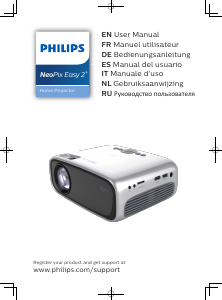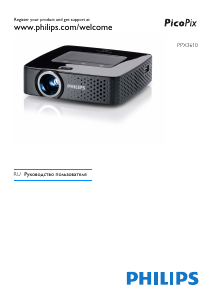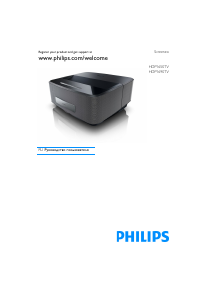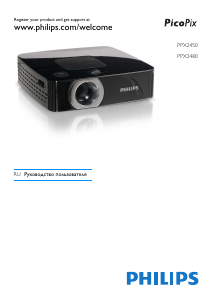
Руководство Philips PPX520 NeoPix Max One Проектор

Вам нужно руководство для вашего Philips PPX520 NeoPix Max One Проектор? Ниже вы можете бесплатно просмотреть и скачать PDF-инструкцию на русском языке. В настоящее время этот продукт имеет 3 часто задаваемых вопроса, 0 комментариев и имеет 0 голосов. Если это не то руководство, которое вам нужно, свяжитесь с нами.

Ваше устройство неисправно, и в руководстве отсутствует решение? Перейдите в Repair Café для получения бесплатных ремонтных услуг.

Руководство

Loading…

4 Philips · PicoPix Max One
1 General safety
information
Take note of all warning and safety notes
indicated. Do not make any changes or settings
that are not described in this user manual.
Incorrect operation, and improper handling can
lead to physical injury, damage to the product
or loss of data.
Setting up the product
This product is for indoor use only. Place the
product securely on a stable, flat surface.
To help avoid possible injuries to persons or
damage to the product itself, position all cables
in such a way that no one will trip over them.
Do not operate the product in damp rooms.
Never touch the mains cable or the mains
connection with wet hands.
The product must have sufficient ventilation
and must not be covered. Do not put the
product in closed cabinets, boxes, or other
enclosures when in use. Do not cover the lens
during operation.
Protect the product from direct sunlight,
heat, intense temperature fluctuations and
moisture. Do not place the product in the
vicinity of heaters or air conditioners. Observe
the information on temperature listed in the
technical data (see Technical data, page 18).
Prolonged operation of the product causes
the surface to become warm hot. In case of
overheating, the product automatically switches
to standby mode.
Do not allow liquids to leak into the product.
Turn off the product and disconnect it from the
mains supply if liquids or foreign substances
leaked into the product. Have the product
inspected by an authorised service centre.
Always handle the product with care. Avoid
touching the lens. Never place heavy or sharp
objects on the product or on the power cable.
If the product gets too hot or emits smoke,
shut it down immediately and unplug the
power cable. Have your product checked by
an authorised service centre. Keep the product
away from open flames (e.g. candles).
The product has built-in battery. Do not
dissemble and modify. The built-in battery
should be replaced by qualified service staff
only.
Do not try to replace the built-in battery
yourself. Incorrect handling of the battery or
using the wrong type of battery can cause
damage to the product or cause injury.
DANGER!
Risk of explosion with incorrect type
of batteries!
There is a risk of explosion if the wrong
battery type is used.
Do not expose the batteries (battery pack or
embedded batteries) to excessive heat such as
sunshine, or open fire.
Under the following conditions, a layer of
moisture can appear inside the product which
can lead to malfunctions:
if the product is moved from a cold to a
warm area;
after a cold room is heated;
when the product is placed in a damp
room.
Proceed as follows to avoid any moisture
buildup:
1 Seal the product in a plastic bag before
moving it to another room, in order for it to
adapt to room conditions.
2 Wait one to two hours before you take the
product out of the plastic bag.
The product should not be used in a very dusty
environment. Dust particles and other foreign
objects may damage the product.
Do not expose the product to extreme
vibrations. This may damage the internal
components.
Do not allow children to handle the product
without supervision. The packing materials
should be kept out of the hands of children.
For your own safety, do not use the product
during thunderstorms with lightning.
Repairs
Do not repair the product yourself. Improper
maintenance can result in injuries or damage to
the product. The product must be repaired by
an authorised service centre.
Please find the details of authorised service
centres on the warranty card supplied with this
product.
Do not remove the type label from this product,
as this will void the warranty.
Загрузить руководство на русском (PDF, 1.95 MB)
(Помните о необходимости охраны окружающей среды и распечатывайте настоящее руководство только в том случае, если это действительно необходимо)

Loading…

Рейтинг

Сообщите нам, что вы думаете о Philips PPX520 NeoPix Max One Проектор, оставив оценку продукта. Хотите поделиться вашими впечатлениями от данного изделия или задать вопрос? Вы можете оставить комментарий в нижней части страницы.
Вы довольны Philips PPX520 NeoPix Max One Проектор?
Да Нет
Будьте первым, кто оценит это изделие
0 голоса

Присоединиться к беседе по данному изделию

Здесь вы можете поделиться тем, что думаете о Philips PPX520 NeoPix Max One Проектор. Если у вас есть вопросы, сначала внимательно прочтите инструкцию. Запросить руководство можно с помощью контактной формы.

Подробнее об этом руководстве

Мы понимаем, что приятно иметь бумажное руководство для вашего Philips PPX520 NeoPix Max One Проектор. Вы всегда можете скачать инструкцию с нашего сайта и распечатать самостоятельно. Если вы хотите получить оригинальное руководство, мы рекомендуем вам связаться с Philips. Возможно, они смогут предоставить оригинальное руководство. Вы ищете руководство для вашего Philips PPX520 NeoPix Max One Проектор на другом языке? Выберите предпочитаемый язык на нашей домашней странице и найдите номер модели, чтобы узнать, есть ли она у нас в наличии.

Технические характеристики

Бренд Philips
Модель PPX520 NeoPix Max One
Категория Проекторы
Тип файла PDF
Размер файла 1.95 MB

Все инструкции для Philips Проекторы
Больше руководств Проекторы

Часто задаваемые вопросы о Philips PPX520 NeoPix Max One Проектор

Наша служба поддержки выполняет поиск полезной информации по изделиям и отвечает на часто задаваемые вопросы. Если вы заметили неточность в наших часто задаваемых вопросах, сообщите нам об этом с помощью нашей контактной формы.

Могу ли я выключить проектор сразу после использования? Проверенный

После использования проектора лампа все еще очень горячая. Лучше всего оставить проектор включенным после использования, чтобы дать внутреннему вентилятору время успеть поработать и охладить лампу. Это продлит срок службы лампы.

Это было полезно (215) Читать далее

Что такое коррекция трапецеидальных искажений? Проверенный

Часто проектор нельзя разместить прямо напротив экрана или стены. Из-за этого проецируемое изображение может искажаться. Это эффект трапецеидального искажения. Коррекция трапецеидальных искажений - это функция, устраняющая это искажение. Не все проекторы предлагают коррекцию трапецеидальных искажений.

Это было полезно (159) Читать далее

Что такое контрастность? Проверенный

Контрастность показывает, насколько самая светлая точка белого цвета отличается от самой темной точки черного цвета. Например, контрастность 400:1 означает, что самая темная точка черного цвета на экране в 400 раз темнее самой светлой точки белого цвета. Чем выше контрастность, тем выше резкость изображения.

Это было полезно (105) Читать далее
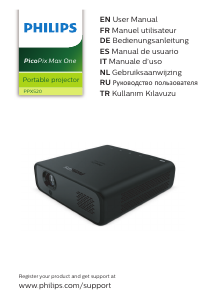
Руководство Philips PPX520 NeoPix Max One Проектор

Сопутствующие товары

Связанные категории

×
Download