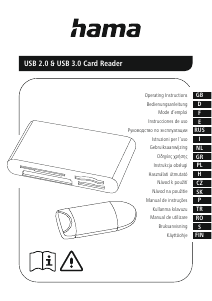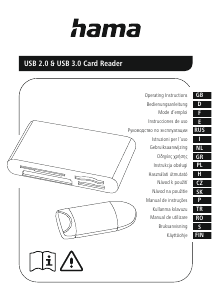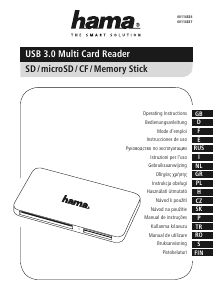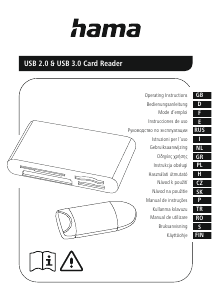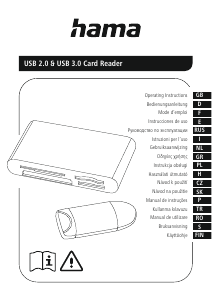
Руководство Hama 00181018 Кардридер

Вам нужно руководство для вашего Hama 00181018 Кардридер? Ниже вы можете бесплатно просмотреть и скачать PDF-инструкцию на русском языке. В настоящее время этот продукт имеет 2 часто задаваемых вопроса, 0 комментариев и имеет 0 голосов. Если это не то руководство, которое вам нужно, свяжитесь с нами.

Ваше устройство неисправно, и в руководстве отсутствует решение? Перейдите в Repair Café для получения бесплатных ремонтных услуг.

Руководство

Loading…

2
G Operating instructions
Thank you for choosing aHama product.
Take your time and read the following instructionsand information
completely.Please keep theseinstructions in asafe place for
futurereference. If you sellthe device, please pass theseoperating
instructions on to thenew owner.
1. Explanation of Warning Symbols and Notes
Warning
This symbol is used to indicate safety instructionsortodraw your
attention to specichazards and risks.
Note
This symbol is used to indicate additional information or important
notes.
2. Safety Instructions
The product is intended for private, non-commercial use only.
Protect the product from dirt, moistureand overheatingand useitin
dry rooms only.
Do not use the product in the immediate vicinity of heatersorother
heat sources or in direct sunlight.
Do not drop the product and do not exposeitto anymajor shocks.
Do not attempt to serviceorrepairthe product yourself.Leave any
and allservice work to qualied experts.
Do not open the device or continue to operate it if it becomes
damaged.
Dispose of packaging material immediately accordingtolocally
applicable regulations.
Do not modify the product in any way. Doing sovoids thewarranty.
Keep this product, as allelectrical products, out of thereach of
children!
3. System Requirements
TheCardReader supports thefollowing operatingsystems:
Windows 11/10/8/7
Mac OS 10.x or higher
4. Product Features
Note
Youwill nd alist of the supportedcardformats on thepackaging
or at www.hama.com (enter the item number in thesearch).
Please refer to the packaging or our homepage www.hama.
com (enter the item number in the search) to know whether
the cardreader supports UHS-I, UHS-II (SD/microSD)orUDMA
(CompactFlash).
The maximum data transfer rate is achieved whenboth thecard
and the cardreader support UHS-I, UHS-IIorUDMA.
Please refer to the packaging or our homepage www.hama.com
(enter the itemnumber in the search) to know whether the card
reader supports data exchange directly from memory cardto
memory card.
5. Getting started
Note –Compatibility
USB 3.1/3.0 cardreaders aredownwardcompatible withUSB 2.0.
No additional drivers areneeded. The installation runs
automatically.
Plug your memory cardinto the appropriate slot of theCardReader.
Connect the CardReader to an available USB port on your terminal
device.
Youcan now run the data transfer between your terminal deviceand
the memorycard.
Warning –Data Loss
Ensurethat the data transfer is done beforeyou remove amemory
cardfromyour CardReader.
Always use the eject function of your operating system before
you remove amemory cardfromyour CardReader or disconnect
your CardReader (with inserted memory card) from yourterminal
device.
Data loss can´tbeexcluded at disregard!
Under no circumstance does Hama GmbH &CoKGaccept liability
for loss of data stored on data storage media.
6. Care and Maintenance
Only clean this product with aslightly damp, lint-freecloth and do not
use aggressive cleaning agents. Make surethat water does not get into
the product.
7. Exclusion of Warranty
Hama GmbH &CoKGassumes no liability and provides no warrantyfor
damage resulting from improper installation/mounting, improper use of
the product or from failuretoobserve the operating instructions and/
or safety notes.
Загрузить руководство на русском (PDF, 0.33 MB)
(Помните о необходимости охраны окружающей среды и распечатывайте настоящее руководство только в том случае, если это действительно необходимо)

Loading…

Рейтинг

Сообщите нам, что вы думаете о Hama 00181018 Кардридер, оставив оценку продукта. Хотите поделиться вашими впечатлениями от данного изделия или задать вопрос? Вы можете оставить комментарий в нижней части страницы.
Вы довольны Hama 00181018 Кардридер?
Да Нет
Будьте первым, кто оценит это изделие
0 голоса

Присоединиться к беседе по данному изделию

Здесь вы можете поделиться тем, что думаете о Hama 00181018 Кардридер. Если у вас есть вопросы, сначала внимательно прочтите инструкцию. Запросить руководство можно с помощью контактной формы.

Подробнее об этом руководстве

Мы понимаем, что приятно иметь бумажное руководство для вашего Hama 00181018 Кардридер. Вы всегда можете скачать инструкцию с нашего сайта и распечатать самостоятельно. Если вы хотите получить оригинальное руководство, мы рекомендуем вам связаться с Hama. Возможно, они смогут предоставить оригинальное руководство. Вы ищете руководство для вашего Hama 00181018 Кардридер на другом языке? Выберите предпочитаемый язык на нашей домашней странице и найдите номер модели, чтобы узнать, есть ли она у нас в наличии.

Технические характеристики

Бренд Hama
Модель 00181018
Категория Кардридеры
Тип файла PDF
Размер файла 0.33 MB

Все инструкции для Hama Кардридеры
Больше руководств Кардридеры

Часто задаваемые вопросы о Hama 00181018 Кардридер

Наша служба поддержки выполняет поиск полезной информации по изделиям и отвечает на часто задаваемые вопросы. Если вы заметили неточность в наших часто задаваемых вопросах, сообщите нам об этом с помощью нашей контактной формы.

Что означает SD? Проверенный

SD означает Secure Digital. SD-карты являются стандартным носителем информации для многих цифровых фотоаппаратов.

Это было полезно (61) Читать далее

Что означает USB? Проверенный

USB означает универсальная последовательная шина. Это стандарт подключения, который используется для подключения устройств к компьютеру.

Это было полезно (19) Читать далее
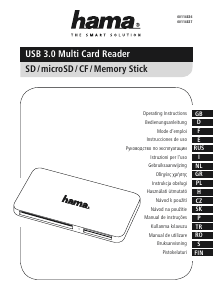
Руководство Hama 00181018 Кардридер

Сопутствующие товары

Связанные категории

×
Download