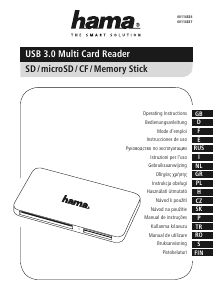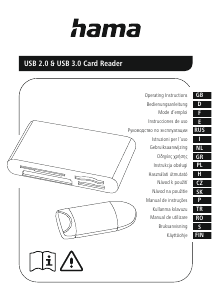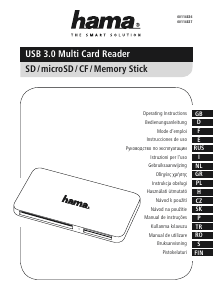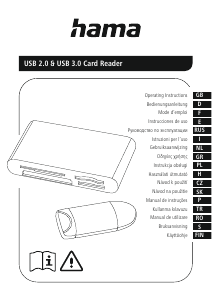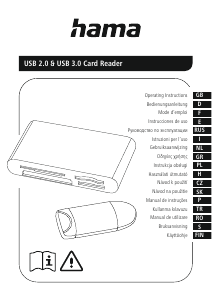
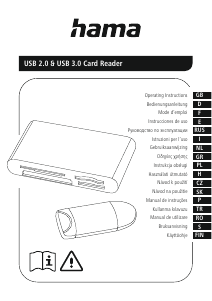
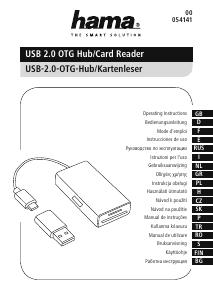
Руководство Hama 00124194 Кардридер

Вам нужно руководство для вашего Hama 00124194 Кардридер? Ниже вы можете бесплатно просмотреть и скачать PDF-инструкцию на русском языке. В настоящее время этот продукт имеет 2 часто задаваемых вопроса, 0 комментариев и имеет 0 голосов. Если это не то руководство, которое вам нужно, свяжитесь с нами.

Ваше устройство неисправно, и в руководстве отсутствует решение? Перейдите в Repair Café для получения бесплатных ремонтных услуг.

Руководство

Loading…
2
G Operating instructions
Thank you for choosing a Hama product.
Take your time and read the following instructions and information
completely. Please keep these instructions in a safe place for
future reference. If you sell the device, please pass these operating
instructions on to the new owner.
1. Explanation of Warning Symbols and Notes
Warning
This symbol is used to indicate safety instructions or to draw your
attention to specic hazards and risks.
Note
This symbol is used to indicate additional information or important
notes.
2. Safety Instructions
The product is intended for private, non-commercial use only.
Protect the product from dirt, moisture and overheating and use it in
dry rooms only.
Do not use the product in the immediate vicinity of heaters or other
heat sources or in direct sunlight.
Do not drop the product and do not expose it to any major shocks.
Do not attempt to service or repair the product yourself. Leave any
and all service work to qualied experts.
Do not open the device or continue to operate it if it becomes
damaged.
Dispose of packaging material immediately according to locally
applicable regulations.
Do not modify the product in any way. Doing so voids the warranty.
Keep this product, as all electrical products, out of the reach of
children!
3. System Requirements
The Card Reader supports the following operating systems:
Windows 11/10/8/7
Mac OS 10.x or higher
4. Product Features
Note
You will nd a list of the supported card formats on the packaging
or at www.hama.com (enter the item number in the search).
Please refer to the packaging or our homepage www.hama.
com (enter the item number in the search) to know whether
the card reader supports UHS-I, UHS-II (SD / microSD) or UDMA
(CompactFlash).
The maximum data transfer rate is achieved when both the card
and the card reader support UHS-I, UHS-II or UDMA.
Please refer to the packaging or our homepage www.hama.com
(enter the item number in the search) to know whether the card
reader supports data exchange directly from memory card to
memory card.
5. Getting started
Note Compatibility
USB 3.1/3.0 card readers are downward compatible with USB 2.0.
No additional drivers are needed. The installation runs
automatically.
Plug your memory card into the appropriate slot of the Card Reader.
Connect the Card Reader to an available USB port on your terminal
device.
You can now run the data transfer between your terminal device and
the memory card.
Warning Data Loss
Ensure that the data transfer is done before you remove a memory
card from your Card Reader.
Always use the eject function of your operating system before
you remove a memory card from your Card Reader or disconnect
your Card Reader (with inserted memory card) from your terminal
device.
Data loss can´t be excluded at disregard!
Under no circumstance does Hama GmbH & Co KG accept liability
for loss of data stored on data storage media.
6. Care and Maintenance
Only clean this product with a slightly damp, lint-free cloth and do not
use aggressive cleaning agents. Make sure that water does not get into
the product.
7. Exclusion of Warranty
Hama GmbH & Co KG assumes no liability and provides no warranty for
damage resulting from improper installation/mounting, improper use of
the product or from failure to observe the operating instructions and/
or safety notes.
Загрузить руководство на русском (PDF, 0.32 MB)
(Помните о необходимости охраны окружающей среды и распечатывайте настоящее руководство только в том случае, если это действительно необходимо)

Loading…

Рейтинг

Сообщите нам, что вы думаете о Hama 00124194 Кардридер, оставив оценку продукта. Хотите поделиться вашими впечатлениями от данного изделия или задать вопрос? Вы можете оставить комментарий в нижней части страницы.
Вы довольны Hama 00124194 Кардридер?
Да Нет
Будьте первым, кто оценит это изделие
0 голоса

Присоединиться к беседе по данному изделию

Здесь вы можете поделиться тем, что думаете о Hama 00124194 Кардридер. Если у вас есть вопросы, сначала внимательно прочтите инструкцию. Запросить руководство можно с помощью контактной формы.

Подробнее об этом руководстве

Мы понимаем, что приятно иметь бумажное руководство для вашего Hama 00124194 Кардридер. Вы всегда можете скачать инструкцию с нашего сайта и распечатать самостоятельно. Если вы хотите получить оригинальное руководство, мы рекомендуем вам связаться с Hama. Возможно, они смогут предоставить оригинальное руководство. Вы ищете руководство для вашего Hama 00124194 Кардридер на другом языке? Выберите предпочитаемый язык на нашей домашней странице и найдите номер модели, чтобы узнать, есть ли она у нас в наличии.

Технические характеристики

Бренд Hama
Модель 00124194
Категория Кардридеры
Тип файла PDF
Размер файла 0.32 MB

Все инструкции для Hama Кардридеры
Больше руководств Кардридеры

Часто задаваемые вопросы о Hama 00124194 Кардридер

Наша служба поддержки выполняет поиск полезной информации по изделиям и отвечает на часто задаваемые вопросы. Если вы заметили неточность в наших часто задаваемых вопросах, сообщите нам об этом с помощью нашей контактной формы.

Что означает SD? Проверенный

SD означает Secure Digital. SD-карты являются стандартным носителем информации для многих цифровых фотоаппаратов.

Это было полезно (60) Читать далее

Что означает USB? Проверенный

USB означает универсальная последовательная шина. Это стандарт подключения, который используется для подключения устройств к компьютеру.

Это было полезно (19) Читать далее
Руководство Hama 00124194 Кардридер

Сопутствующие товары

Связанные категории

×
Download