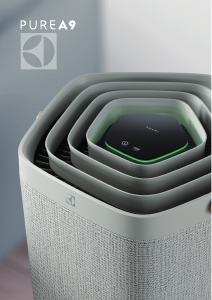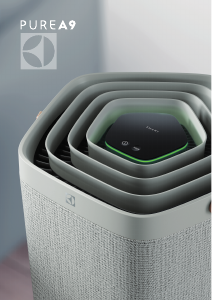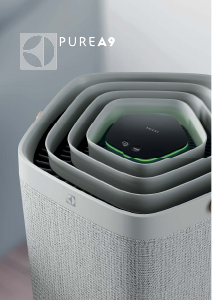
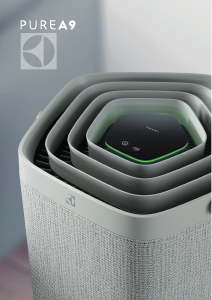
Руководство Electrolux EPU93171UG Очиститель воздуха

Вам нужно руководство для вашего Electrolux EPU93171UG Очиститель воздуха? Ниже вы можете бесплатно просмотреть и скачать PDF-инструкцию на русском языке. В настоящее время этот продукт имеет 2 часто задаваемых вопроса, 0 комментариев и имеет 0 голосов. Если это не то руководство, которое вам нужно, свяжитесь с нами.

Ваше устройство неисправно, и в руководстве отсутствует решение? Перейдите в Repair Café для получения бесплатных ремонтных услуг.

Руководство

Loading…

www.electrolux.com12
CHANGING MODES & FAN SPEEDS & SWING & HUMIDITY
1. Press the MODE button
once to toggle between the two modes: SMART and MANUAL
SMART: This is the default mode the unit will start in. In the SMART mode the unit will utilize
the sensor data as input to decide on the appropriate fan speed and humidification level for
a comfortable air environment, depending on the temperature in the room. The fan speed
or humidification level, can not be adjusted by the user under this mode. Please see the AIR
QUALITY INDICATOR section for more details.
MANUAL: In the MANUAL mode the unit will utilize the sensor data as input only to show the
air quality level via the air quality indicator but will not self-adjust the fan speed. This mode is
best utilized for a quick burst of cleaning, especially when the user anticipates an increase in
particulate matter in the room due to household chores (e.g. vacuuming).
2. FAN SPEED: While in MANUAL mode, tap the FAN bar to adjust the fan speed – the air purifier
has 9 levels fan speed, the fan speed indicator will show the fan speed.
NOTE: The unit will ramp up OR down to chosen speed setting gradually.
3. SWING: Press SWING button can active Swing feature to get your desired air flow direction.
There have below 3 options:
"
" Option1 (Set internal fan oscillating louvre groups to swing same direction, front to back
position.).
" " Option2 (Set internal fan louvre groups to opposite directions).
" " Option3 (Set internal fan louver group to the front).
4. HUMIDITY: Press HUMIDITY button to turn on the Humidification function and chose your
target humidity level (40%, 50% and 60%). Once activated, the humidification pump will run
until the relative humidity level of the room reaches the target humidity level you choose. The
unit will then attempt to maintain this target of humidity in the air. In Humidity mode, please
observe:
- If the room is large or windows or doors are open the target humidity level may not be
reached.
- The air coming out from the air purifier will have a higher humidity than the target humidity
setting, so that the room can get humidified.
FEATURE ICONS AND INDICATORS
NOTE: Not all indicators OR feature icons might be available on your model. Please consult
packaging information or the product specifications on the website for details on available
features.
1. FILTER CHANGE: The high efficiency filter(s) in the unit cannot be washed, they can only be
replaced. The filter change icon
will light up to remind you to change your filter(s). Your air
purifier may equip with more than one filter, so please refer to the Electrolux App for details
on which filter layer is to be replaced. Always ensure the plastic protective bag is removed
before its use in the unit. After the used filter is replaced, the filter change icon will turn off
automatically and no reset action is needed.
2. WATER TANK: The water tank icon
will light up to remind you refill the water tank for
humidifying. After the water tank is refilled, the water tank icon will turn off automatically and
no reset action is needed.
3. WiFi: The unit is equipped with a WiFi module, which enables remote control and access to
many more features including time-based tracking of your indoor air quality data. When the
unit is connected to the home WiFi, this icon
will light up. If the icon is blinking, it indicates a
temporary loss of WiFi connectivity – please refer to the Electrolux App for more details.
NOTE: Download our Electrolux App and follow the step-step onboarding instructions to bring
the air purifier online.
Загрузить руководство на русском (PDF, 52.85 MB)
(Помните о необходимости охраны окружающей среды и распечатывайте настоящее руководство только в том случае, если это действительно необходимо)

Loading…

Рейтинг

Сообщите нам, что вы думаете о Electrolux EPU93171UG Очиститель воздуха, оставив оценку продукта. Хотите поделиться вашими впечатлениями от данного изделия или задать вопрос? Вы можете оставить комментарий в нижней части страницы.
Вы довольны Electrolux EPU93171UG Очиститель воздуха?
Да Нет
Будьте первым, кто оценит это изделие
0 голоса

Присоединиться к беседе по данному изделию

Здесь вы можете поделиться тем, что думаете о Electrolux EPU93171UG Очиститель воздуха. Если у вас есть вопросы, сначала внимательно прочтите инструкцию. Запросить руководство можно с помощью контактной формы.

Подробнее об этом руководстве

Мы понимаем, что приятно иметь бумажное руководство для вашего Electrolux EPU93171UG Очиститель воздуха. Вы всегда можете скачать инструкцию с нашего сайта и распечатать самостоятельно. Если вы хотите получить оригинальное руководство, мы рекомендуем вам связаться с Electrolux. Возможно, они смогут предоставить оригинальное руководство. Вы ищете руководство для вашего Electrolux EPU93171UG Очиститель воздуха на другом языке? Выберите предпочитаемый язык на нашей домашней странице и найдите номер модели, чтобы узнать, есть ли она у нас в наличии.

Технические характеристики

Бренд Electrolux
Модель EPU93171UG
Категория Очистители воздуха
Тип файла PDF
Размер файла 52.85 MB

Все инструкции для Electrolux Очистители воздуха
Больше руководств Очистители воздуха

Часто задаваемые вопросы о Electrolux EPU93171UG Очиститель воздуха

Наша служба поддержки выполняет поиск полезной информации по изделиям и отвечает на часто задаваемые вопросы. Если вы заметили неточность в наших часто задаваемых вопросах, сообщите нам об этом с помощью нашей контактной формы.

Я хочу знать возраст моего прибора Electrolux. Как мне это сделать? Проверенный

Вы можете определить возраст вашего продукта по серийному номеру. Это можно найти на вашем устройстве. Первый символ серийного номера указывает год (например: 1 = 2001), а два символа после этого указывают неделю производства (например: 35 = 35 неделя этого года). Таким образом, серийный номер 13500016 указывает на то, что машина начиная с 35 недели 2001 года.

Это было полезно (1016) Читать далее

Очиститель воздуха также удаляет обычную пыль из воздуха? Проверенный

Да, воздухоочистители также удаляют из воздуха пыль, которую в противном случае пришлось бы удалять путем вытирания пыли и очистки. От очистителя воздуха зависит, до какого размера пыль удаляется из воздуха.

Это было полезно (260) Читать далее
Руководство Electrolux EPU93171UG Очиститель воздуха

Сопутствующие товары

Связанные категории

×
Download