
4
1) PARTS
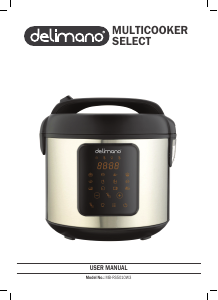
The Delimano Multicooker Prime contains the following parts for following functions:
Pic. 1 (see: PICTURES, Pic. 1)
1. Lid Release button
2. Handle
3. Lid
4. Condensation collector
5. Display
6. Control panel
7. Safety valve
8. Seal
Pic. 2 (see: PICTURES, Pic. 2)
1. Inner cooking pot
2. Measurement cup
3. Steamer
4. Power cable
5. Rice spoon
6. Hanging soup spoon
Pic. 3 (see: PICTURES, Pic. 3)
1. Temp / Timer
2. Keep warm / Cancel
3. Steam mode
4. Rice mode
5. Fry mode
6. Stew mode
7. Manual mode
8. power
2) BEFORE USE
1. Clean the inner pot and accessories with damp cloth before drying them thoroughly.
2. Make sure safety valve and seal are correctly installed.
3. Place the device on flat, stable, dry and heat resistant surface.
3) USAGE
1. Rotate the cooking pot 2-3 times to ensure good contact between its bottom and heating plate; press the lid down until you hear a click.
NOTE: Do not place the cooking pot on other stoves for heating to avoid deformation due to high temperature; do not replace the cooking pot with other containers and operate on
the heating plate.
2. Plug the power cable in device and power supply.
3. Press the power button (its indicator starts blinking and display shows - -). The device is in standby mode.
NOTES:
-
Do not place the cooking pot on other stoves for pre/heating. Do not replace the cooking pot with other containers and operate the device on the cooking hobs.
-
Do not boil rice with hot water to avoid affecting the temperature control and avoid poor results.
-
Regularly clean the safety valve.
BUTTONS:
Power
1. Press once to turn on the device and put it in standby state. Press once more to turn off the device.
2. In standby state press one of the mode buttons and press power button again to start the cooking (running circle will turn on display).
NOTES:
You can turn off/reset any mode/program with the press of keep warm/cancel button.
If the device is not used in standby state for more than 2 minutes it will turn off automatically.
Keep warm/Cancel
1. While in standby state, press “Keep Warm/Cancel” button to start the “keep warm” (temperature preservation) mode.
2. While in any working mode press “Keep Warm/Cancel” button to ”cancel” the running program and return it to standby state.
3. Temperature preservation mode will automatically start when cooking is completed, the timer displays from 0 to 12 hours. The LED displays “ — — “ after 12 hours and returns to the
“standby state after that.
4. During operation (Steam, Rice, Stew, and manual mode), press the power button for two seconds to turn off heat preservation function (its light turns off).
NOTES: Keep warm function is not possible in Fry mode.
Food is best to be consumed within 5 hours after cooking.
Manual button
Instandby state, press the “manual” button to manually set the cooking program’s time and temperature.
TEMP/TIMER button
1. After selecting the manual mode press temp/timer button to enter in cooking time setting (pre-set cooking time - 30 minutes - starts to flash on display). By pressing + or – buttons
cooking time in increments of 5 minutes can be set between 1 and 90 minutes.
2. Press temp/timer button again to enter temperature setting (pre-set temperature – 100 °C (10) – starts to flash on display). By pressing + or – buttons cooking temperatures in
increments of 10 °C can be set between 30 (03) and 150 °C (15).
3. Press power button to start the manual mode.*If no delay start of cooking is needed.
* DELAY setting
1. Press temp/timer button again to enter in delay start setting (pre-set - 1 hour delay – starts to flash on display). By pressing + or – buttons cooking delay time in increments of 1 hour
can be set between 1 and 24 hours.
2. Press power button to start the manual mode with delay (temp/timer indicator stays turned on). Display will reduce the number of hours before switching to last 59 minutes before
starting manual mode automatically.
NOTE:
When the manual set temperature is higher than 70 ° C, the temperature saving function will automatically turn on after cooking time has elapsed. If the set temperature is lower than
70 °C the device will enter the standby state after cooking time has elapsed.
STEAM
1. In standby state press the “steam” button (30 minutes default cooking time starts to flash on display).
2. Press the + or – button to set the cooking time between 5 and 60 minutes in one minute increments.
3. Press the power button to start the steam mode. * If no delay start of steaming is needed.
4. *Press temp/timer button to set the delay start (1 hour default delay starts to flash on display).
5. Press the + or – button to set the delay start between 1 and 24 hours with one hour increments.
6. Press power button to start the steam mode with delay (temp/timer indicator stays turned on). Display will reduce the number of hours before switching to last 59 minutes before
starting manual mode automatically.
7. After elapsed cooking time the device will automatically switch to temperature preservation time.
RICE
1. In standby state press the “rice” button (60 minutes default cooking time starts to flash on display).
2. Press the + or – button to set the cooking time between 5 and 90 minutes in five minute increments.





Присоединиться к беседе по данному изделию
Здесь вы можете поделиться тем, что думаете о Delimano RS201W3 Мультиварка. Если у вас есть вопросы, сначала внимательно прочтите инструкцию. Запросить руководство можно с помощью контактной формы.